
I am going to keep this short, because the useful part is a checklist, not an essay.
Most small businesses set their website's bot rules once, in about five minutes, and never look at them again. That is a reasonable way to run a business. It stops being reasonable when a company you have never met changes what your settings mean and tells you, in one line buried in a vendor blog post, that there is "nothing to do in almost every case."
What actually changed on September 15
Cloudflare sits in front of a large share of the web, and it sells a set of controls for deciding which bots your site answers. In its announcement of September 15, 2026, the company shipped one new setting and changed the meaning of an old one.
The new setting is called Disallow AI Training. Turn it on and Cloudflare writes a no-training rule into your robots.txt, blocks the training-only crawlers run by Amazon, Anthropic, Meta and OpenAI, and lets the big "mixed-use" crawlers keep indexing you for search. Mixed-use means one crawler doing two jobs: Applebot, Bingbot and Googlebot all crawl for search and feed AI training from the same visits. Under the new setting they keep coming for search and are told no on training.
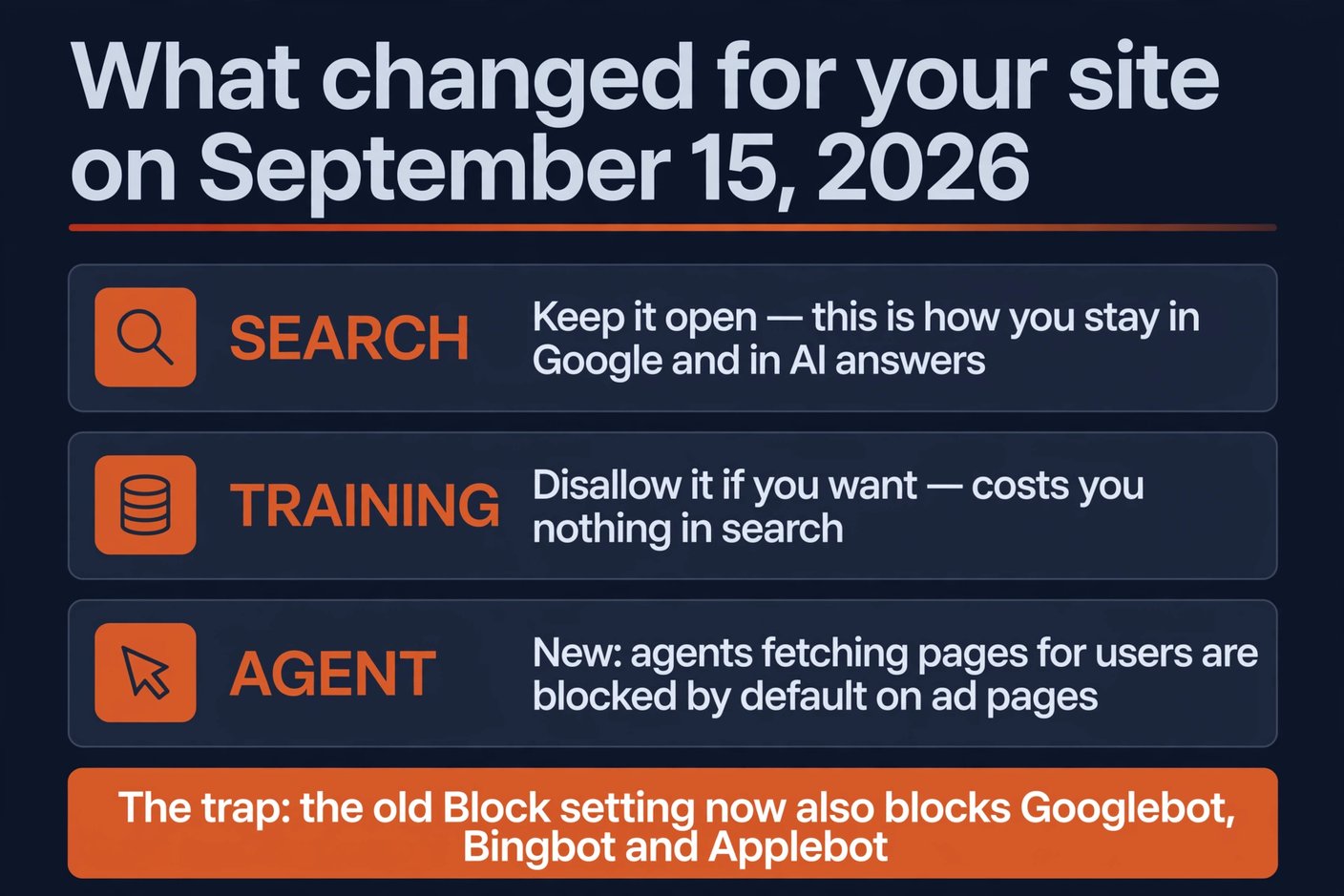
The old setting is the problem. Cloudflare groups bots under three behaviours — Search, Training and Agent — and until September 15, the blunt Block and Block on pages with ads options deliberately skipped mixed-use crawlers, precisely because blocking them takes your search listing with it. That carve-out is gone. Block now blocks everything, Googlebot included.
The vendor's own guidance on this is one sentence: "What you need to do: Nothing, in almost every case. Your current settings carry over on their own." That is true in the narrow sense. Your settings did carry over. What did not carry over is what they do.
The trap: Block no longer means what you chose it for
Here is the part worth ten minutes of your evening. Cloudflare published a migration table for domains that had used the old "Block AI Bots" switch. The intent you expressed gets preserved: training stays disallowed. But look at what else moves.
| What you chose before | Search | Training | Agent |
|---|---|---|---|
| Block AI Bots: off | Allow | Allow | Allow |
| Block AI Bots: on | Allow | Disallow AI Training | Block on ad pages |
| Block AI Bots: ads only | Allow | Disallow AI Training | Block on ad pages |
So a site that had switched on Block AI Bots lands in a sensible place, and a site that never touched the setting keeps everything open. The damage is in the other direction, and Cloudflare says it plainly: if you now want mixed-use crawlers gone entirely, "you have to say so. Select Block. It will stop Applebot, Bingbot, and Googlebot from reaching your site — search included."
Which means any owner who picked Block as a general "no AI on my content" gesture — a normal thing to do in 2024 and 2025, when every article told you to block the AI crawlers — is now running a setting that removes them from Google. No email, no warning banner, no error. Your site still loads for visitors who already know your name, and your organic search traffic quietly declines.
The part that is genuinely good news
Training and search used to be welded together on the three biggest crawlers, and that is why this decision was always ugly: refusing training meant refusing the visits that find you. Cloudflare spent the summer arguing with Apple, Google and Microsoft about unbundling them, and got a result worth understanding even if you never use Cloudflare.
The three operators now carry a label called Accountable, and it is not decoration. To qualify, an operator has to offer a way for site owners to opt out of training through robots.txt, provide a way to opt out of AI summaries, show which of your pages were made available for training, and state that opting out will not affect your ordinary search results. In practice that means one thing for a small business: you can now say no to training without disappearing from search.
Google follows the Google-Extended token for training while Googlebot keeps indexing you, and both Google and Apple have stated that a no-training choice does not change search ranking. Microsoft is the laggard here: Bingbot's training preference is expressed through a NOARCHIVE meta tag today, with domain-level robots.txt support targeted for early 2027, so a Cloudflare no-training setting does not yet reach Bing through the standard file.
One number from the announcement is worth keeping in your head. Fewer than 1% of Cloudflare sites block search bots, and 17% block training in some form. Sixteen out of seventeen people who wanted AI out of their content did not want out of Google — and until this month the tools mostly did not let them separate the two.
The 30-minute check for your own site
You do not need to be a Cloudflare customer for this to matter. Roughly a third of the small business sites I look at have inherited a bot rule from a previous owner, an agency, or a plugin that was installed once and forgotten. Run these four checks in order.
First, look at your robots.txt. Open yourdomain.com/robots.txt in a browser. You are looking for a Disallow: / under a user-agent named Googlebot, Bingbot, or a bare *. If you see that, fix it before you do anything else: a wildcard disallow removes you from every search engine at once, and it is the single most expensive typo a small site can ship.
Second, check your settings at the edge, not just the file. A CDN or security layer can inject bot rules that never appear in the file your origin serves. If you use Cloudflare, that is under Security Settings for the domain; if you use a WordPress security plugin, look for a bot or firewall section. The order Cloudflare sets is Allow, then Disallow AI Training, then Block on ad pages, then Block — and only the last one is dangerous to your search traffic.
Third, search your domain in Google and ask yourself one question. Does a result still appear, and does the description look like it was written from your page? A blocked-but-linked page often stays listed with no description at all. If results look thin, compare against a Search Console coverage report and look for pages that recently moved into "blocked by robots.txt."
Fourth, notice that agents are now a separate bucket. Cloudflare classifies user-directed agents — chat fetch bots and browser-use tools fetching a page because a person asked — as their own behaviour, and on new domains that monetise with ads, blocked-by-default is now the preset. If you run automations that read other people's websites, this is why one may have started returning a 403 this week.
If you are not on Cloudflare, the same decision still applies
The unbundling is happening across the industry, not on one network, so write your own rule. In a plain robots.txt the pattern is a list of user-agents, each with its own allow or disallow. Block the training crawlers you object to — GPTBot, ClaudeBot, CCBot, Applebot-Extended, Google-Extended — and leave the retrieval crawlers that decide whether an assistant can cite you alone: OAI-SearchBot, Claude-SearchBot, PerplexityBot. Never block Googlebot.
Two honest caveats. robots.txt is a request, not a wall; it works because the vendors with legal departments choose to honour it, and ByteDance and Perplexity have both been caught ignoring it. And a rule you cannot explain is a rule you should not keep. I have walked into more than one business that was blocking its own search traffic since 2019 because a contractor pasted a "protect your content from AI" snippet into the file and nobody ever read it again.
So the decision is not "AI yes or AI no." It is three answers you write down once: search in, training out, and a deliberate yes or no on agents. Then you put eyes on it once a quarter, because the crawler lineup changes, and — as this month proved — so do the meanings of the switches.
Frequently asked questions
Does this affect me if my site is not on Cloudflare?
Not directly, but the underlying decision does. Cloudflare is pushing operators towards separating search from training, and Google, Apple and Microsoft have accepted that framing. Your plain robots.txt is where you express the same choice, and it costs you nothing to write.
I had Block AI Bots switched on. Am I now out of Google?
Check before you panic. Look at Security Settings for the domain and confirm which of the four levels is active. If it reads Block, you are currently blocking Applebot, Bingbot and Googlebot, and you should switch to Disallow AI Training today. Then give search a couple of weeks to catch up.
Is blocking AI training bad for my visibility?
Not the way the vendors have now set it up. Google and Apple both state that a training opt-out does not affect search ranking, and the retrieval crawlers that decide whether an assistant mentions you are separate tokens you can leave open. What genuinely hurts is blocking the retrieval crawlers by accident — that is the mistake to avoid.
How do I know if a search crawler is being blocked right now?
Fetch your own robots.txt, then check your server logs or your CDN's bot analytics for Googlebot and Bingbot hits over the last week. If they have dropped to zero while human traffic continues, something upstream — a file, a plugin, or a network default — is turning them away.
Do I need to do anything before early 2027 for Bing?
Not urgently. Microsoft's domain-level robots.txt support for training preferences is targeted for early 2027, and until then the NOARCHIVE meta tag is the available signal. Note it and move on; there is no first step that changes anything today.
Not sure what your site is telling the crawlers?
BigLobster checks the settings that decide whether Google, Bing and the AI assistants can reach a small business site — and writes down the answer so it stops being a mystery. It takes less time than this article did.
Ask us to check your site